Recipes by camera
Ricoh GR IV Monochrome recipes
Ricoh GR IV Monochrome recipes, on a page written for that camera. The Monochrome shoots black and white only: a sensor with no color filter, no white balance anywhere in its menus, no Saturation or Hue, no Filter Effect and no ND filter. It has six Image Controls of its own, Standard, Solid, Soft, High Contrast, Grainy and HDR Tone, and a physical red filter in the lens instead of the digital one the color bodies fake with white balance.
New here? How to load a recipe on your camera · Want it on paper? Pocket cheat sheet (PDF)
8 recipes · most saved first
Dante Sisofo Street B&W
by Dante Sisofo
KYO Night B&W
by Ricoh (GR official)
Ninzaburo Monotone
by Ricoh (GR official)
Panchromatic 400 +Red
by Ritchie Roesch
Moody Monochrome
by Ritchie Roesch
Rich Tone Monochrome
by Photo Stuff
Black & White Negative
by Ritchie Roesch
Pushed B&W
by Ritchie Roesch
What each recipe loads as on the Monochrome
The card's Image Control is the color body's name; the Monochrome's own preset is in the next column. The seven sliders, grain and D-Range Correction dial in as printed. A white balance line is skipped, and a Filter Effect number has no menu here: 3 or 4 wanted a darker sky, so try the red filter; 1 or 2 has no equivalent.
| Recipe | On the card | Monochrome preset | Skip or swap |
|---|---|---|---|
| Dante Sisofo Street B&W | Hi-Contrast B&W | High Contrast | Dials in as printed |
| KYO Night B&W | Monotone | Standard | Dials in as printed |
| Ninzaburo Monotone | Monotone | Standard | Filter Effect 3: try the red filter on |
| Panchromatic 400 +Red | Hard Monotone | High Contrast | white balance line skipped |
| Moody Monochrome | Monotone | Standard | white balance line skipped; Filter Effect 3: try the red filter on |
| Rich Tone Monochrome | Monotone | Standard | Dials in as printed |
| Black & White Negative | Hi-Contrast B&W | High Contrast | white balance line skipped |
| Pushed B&W | Hi-Contrast B&W | High Contrast | white balance line skipped; Filter Effect 2: no equivalent, skip |
About the GR IV Monochrome
Every recipe below lists the Monochrome as a body it runs on, and the table under the grid says which of the Monochrome's presets each one loads as: a card's Monotone becomes Standard, Soft Monotone becomes Soft, Hard Monotone and Hi-Contrast B&W become High Contrast. The seven sliders, grain and the D-Range settings carry over as written; the white balance line is skipped, and each recipe page's walkthrough is written in the Monochrome's own menu names once you pick it as your camera.
The community has not caught up with this body: the biggest recipe author publicly has none for it. These are the black and white looks that port, and the Monochrome's own presets, Solid and Grainy, are open ground. The wider black and white collection lists every B&W recipe on the site, including the ones that lean on tricks this camera cannot do.
Its own six modes, and how the recipes map
The Monochrome's Image Controls are not renamed copies of the color bodies' four black and white modes. Ricoh describes Standard as excellent tone reproduction with a balance of light and dark, Solid as clear contours and sharp contrast for a modern look, Soft as softened outlines and gently reduced contrast, High Contrast as a pronounced black and white contrast, Grainy as a pronounced grainy texture like a black and white print, and HDR Tone as shadow emphasis for drama. Shoot a color GR IV on Hi-Contrast B&W next to the Monochrome on High Contrast and the two are hard to tell apart, which is why the mapping works. Monotone to Standard and Soft Monotone to Soft follow Ricoh's own descriptions; Hard Monotone to High Contrast is the closest fit, and if Solid looks closer to you on your camera, use Solid.
The Monochrome section of the Image Control guide has the full slider reference, including the corrected direction of Contrast (Shadow): positive lifts shadows, negative deepens them, on this body as on the others.
The red filter, and the things it does not have
The color GRs fake a red filter two ways, with the numbered Filter Effect on their black and white modes and with a warm white balance shifted toward magenta. The Monochrome has neither, because a monochrome sensor records luminance and nothing else; a filter has to happen before the light reaches it. So Ricoh built one in: a physical red filter in the lens unit, where the ND filter sits on a color GR, switched from the Shooting Settings menu and by default from the Fn button. On, it darkens blue skies and water, lightens skin, and costs about two stops of light. It cannot be added or undone afterwards, from RAW or otherwise.
What that means for the recipes here: a card that says Filter Effect 3 or 4 wanted a darker sky, so try the red filter on; a card that says Filter Effect 1 or 2 has no equivalent and simply skips the line; a card whose white balance is a 10000K reference shifted toward magenta was doing the same job, and skips too. Expect a recipe to render a little differently with the filter in, because it changes subject brightness before the sensor, not after.
There is no ND filter either, and the base ISO is 160. The Monochrome has the electronic shutter from launch, so shooting f/2.8 in bright sun is covered that way. Grain works on every preset except HDR Tone, with the same strength and size settings as the color GR IV, and the cleaner high-ISO files mean grain and Sharpness can usually sit a notch lighter than a color-body card says for the same look.
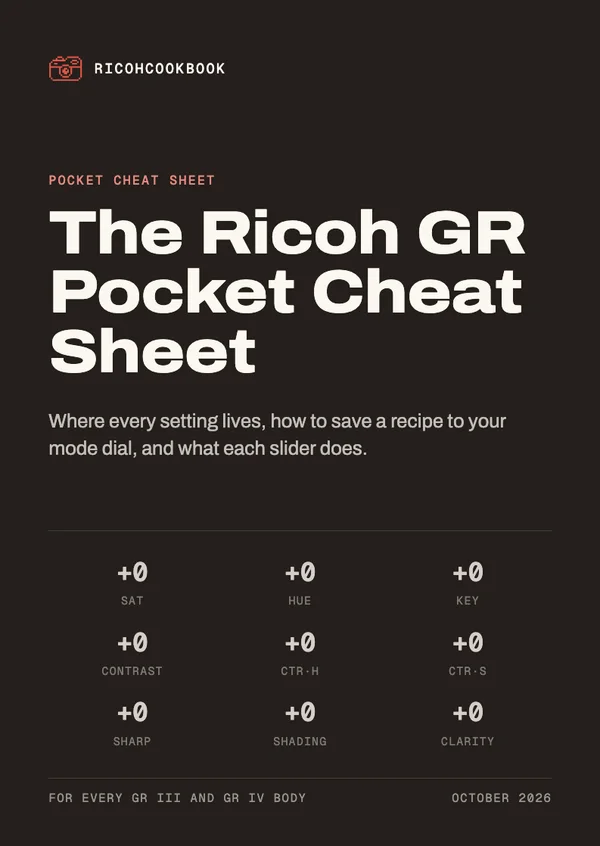
Get the GR Pocket Cheat Sheet
Pocket cards that explain every slider and walk you through saving a recipe on your camera. Sign up for the recipe emails and it's yours straight away.
Comes with the recipe emails: one when a recipe earns one. Unsubscribe anytime. Privacy